- Format-3
- Curiosity
- Perspective
- Digital Twin UI: Design the Decision, Not the Replica
Digital Twin UI: Design the Decision, Not the Replica

Share article
{
"@graph": [
{
"@type": "Article",
"image": {
"url": "https://media.babylovegrowth.ai/blog-images/organization-13731/1792427471424_Engineer-checking-pump-beside-control-room-monitor.jpeg",
"@type": "ImageObject",
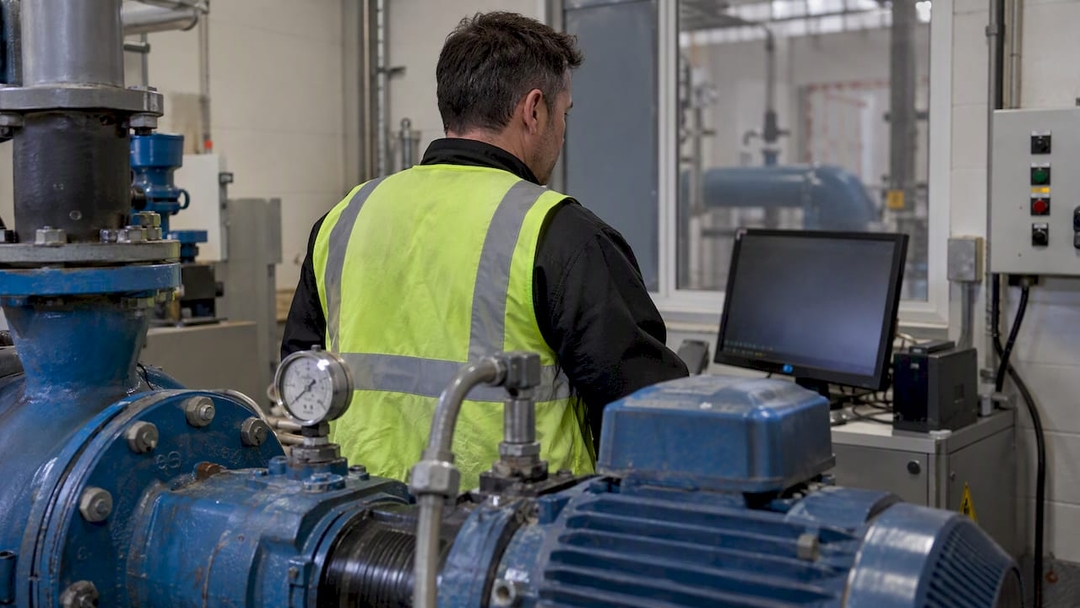
"caption": "Engineer checking pump beside control-room monitor"
},
"author": {
"url": "https://format-3.co",
"name": "Format-3",
"@type": "Organization"
},
"headline": "Digital Twin UI: Design the Decision, Not the Replica",
"publisher": {
"url": "https://format-3.co",
"name": "Format-3",
"@type": "Organization"
},
"inLanguage": "en-GB",
"description": "A digital twin is only as useful as its interface. Learn how to design role-based, multi-modal twin UIs that cut data overload and speed up decisions.",
"dateModified": "2026-10-21T00:00:00.000Z",
"datePublished": "2026-10-21T00:00:00.000Z"
},
{
"@type": "BreadcrumbList",
"itemListElement": [
{
"item": "https://format-3.co",
"name": "Format-3",
"@type": "ListItem",
"position": 1
},
{
"item": "https://format-3.co/digital-twin-ui",
"name": "Digital Twin UI: Design the Decision, Not the Replica",
"@type": "ListItem",
"position": 2
}
]
}
],
"@context": "https://schema.org"
}
Digital Twin UI: Design the Decision, Not the Replica
A digital twin interface should not try to reproduce a machine, a building or a patient pathway in full fidelity. It should help one specific person decide something, faster and with more confidence than before. Most twin projects invest heavily in the model and treat the interface as a skin. That is the wrong way round, and it is why so many twins end up admired in demos and ignored on the shop floor.
This article is for product leaders, operations teams and founders commissioning a twin front end. It covers what the interface layer has to do, how to structure it by role, when 3D and immersive modes earn their place, and how to keep the UI alive after launch.
Format-3
format-3.co
Turn Complex Systems Into Clear Decisions
Format-3 designs and develops digital products, bringing strategy, design, and engineering together for purposeful, user-centric experiences.
TL;DR
A twin UI is a decision tool, not a mirror. Design for the question the user is asking, not for the completeness of the model.
Build role-based views over one shared data layer. A single master screen for everyone almost always fails.
Start with a plain 2D dashboard for daily monitoring and reserve 3D or XR for deep-dive diagnosis and collaboration.
Layout order, colour contrast and clarity of 3D graphics are the unglamorous factors that drive usability and anomaly detection.
Treat the interface as a living product: instrument it, watch what is ignored, and keep revising.
Table of Contents
What a digital twin interface actually is
The real risk is decision paralysis
Design for roles, not for “users”
Layout, contrast and clarity: the basics that decide outcomes
2D, 3D or immersive? Choose by task
Treat the twin UI as a living product
Our perspective
Where to start: a practical sequence
Working with us on a twin interface
FAQ
Sources
What a digital twin interface actually is
The usual definition describes a virtual representation of real-world entities and processes, synchronised in both directions at a specified frequency and fidelity. Read that sentence as a designer and every clause becomes a UX problem. How often does the screen refresh? How faithful must the picture be before it helps rather than distracts? What happens when the user’s action travels back to the physical system?
That last point separates a twin from an ordinary dashboard. A report tells you what happened. A twin invites you to ask what is happening now, what would happen if, and what should we do. The interface is where those three questions meet a human being with limited attention.
It is also why the popular image of a twin, a glowing 3D model floating over a stream of numbers, is a poor starting brief. It is the Jetsonian vision of the category: impressive, nostalgic for a future that was promised long ago, and often useless at six in the morning when a pump starts behaving oddly.
The real risk is decision paralysis
Researchers working on industrial human-machine interaction point to decision paralysis as the greatest hazard in twin UI design: stakeholders buried under so much data that the twin defeats its own purpose. Their framing is worth borrowing. The goal is not a full-fidelity copy but an interactive consultant that mirrors how the user decides, translating complex sensor data into actionable insight tied to their operational goals.
We find it helps to ask three provocative questions at the start of any twin project:
- What is the single decision this screen exists to improve? If the team cannot name it, the screen is a museum exhibit.
- What would the user do differently if the twin did not exist? If the answer is “nothing”, the twin is decoration.
- What can we remove? Every sensor feed you surface is a claim on someone’s attention. Make it earn its place.
A twin that shows everything is a twin that says nothing. Curation is the product.
Design for roles, not for “users”
Many firms try to build one master interface for everyone. Insider design strategy argues against it: a technical engineer needs high-density data streams and low-latency controls to diagnose an anomaly, while a site manager needs high-level KPI visualisation and operational summaries. Separate, purpose-built views, or modular views that surface only what is relevant, prevent cognitive overload and speed up decisions.
UX research on twins describes the same tension from the other side. Interfaces must bridge technical, system-oriented views and human-centred, context-rich views, the first for developers and maintenance engineers, the second for clinicians, operators and end users. The practical answer is modularity: the same underlying twin data consumed through different portals, each showing only what its audience needs.
A simple role map
Role: Maintenance engineer | Core question: What is failing, and why? | What the view should emphasise: Dense telemetry, event history, low-latency controls | Typical mode: 2D detail, 3D on demand
Role: Operator | Core question: Is anything drifting from normal? | What the view should emphasise: Status, alerts, clear thresholds | Typical mode: 2D dashboard
Role: Site or department manager | Core question: Are we on track? | What the view should emphasise: KPIs, trends, summaries | Typical mode: 2D summary
Role: Clinician or domain specialist | Core question: What does this mean for the person or case in front of me? | What the view should emphasise: Context-rich, plain-language, task-linked | Typical mode: Web, sometimes mobile
Role: Planner or analyst | Core question: What if we change something? | What the view should emphasise: Scenario comparison, simulation outputs | Typical mode: 2D plus 3D
Notice that the table starts with questions, not features. That is deliberate. Roles are defined by what people need to decide, not by their job titles.
Keep the mental model consistent
Role-based does not mean role-isolated. One practitioner account from the energy sector describes the problem of objects such as tags, work orders, documents and anomalies looking different in different features of the same product, and the need to align them into a clear mental model. Different views, one vocabulary. If an anomaly is red in the dashboard, amber in the 3D scene and a grey row in a table, you have built three products and called them one.
Layout, contrast and clarity: the basics that decide outcomes
Recent research on a digital twin and mixed reality framework for automated container terminals reports that layout order, colour contrast and 3D graph clarity are the factors that shape usability, operator decision efficiency and anomaly detection speed. None of these will win a design award on their own. All of them will decide whether your twin gets used.
The same study gives a useful sense of the performance bar for real-time supervision: a system status refresh of one second or better and latency of 100 milliseconds or less, so that human-in-the-loop interaction feels live. Those are figures from one automated terminal context, so treat them as an illustration of the order of magnitude rather than a universal requirement. Your own threshold depends on how quickly the physical process can change and how quickly a person can act on it.
A few principles follow:
- Order by consequence. Put what demands action at the top left of the reading path, not what is easiest to render.
- Use contrast for meaning, not mood. Dark, atmospheric control-room aesthetics photograph well. Check that the alert state remains unmistakable on a dim shop-floor tablet.
- Make 3D legible before making it beautiful. Depth, occlusion and clutter can hide the very anomaly you are trying to expose.
- Show data freshness. A number without a visible age is a small lie waiting to happen.
For teams new to this, Nielsen’s usability heuristics remain a sound foundation. Research on cross-reality twins recommends applying them consistently across 2D dashboards and XR environments to reduce cognitive load. Old rules, new surfaces.
2D, 3D or immersive? Choose by task
Here is the unfashionable truth: an immersive interface is not always the answer. High-end immersive visualisation is powerful for specific investigative tasks, but simple 2D dashboards are often better for rapid, daily monitoring. The strongest strategies are multi-modal, offering a continuum from a web dashboard for routine status checks to an immersive XR mode for deep-dive diagnostics and collaborative problem solving.
That suggests a pragmatic ladder:
- Glanceable status. A 2D view that answers “is everything normal?” in seconds.
- Spatial context. A browser-based 3D scene that shows where the problem sits in the physical system.
- Deep-dive and collaboration. AR, VR or mixed reality for teams who need to inspect, annotate and agree on a fix together.
Most users will live on step one. Steps two and three should be one deliberate click away, not the front door.
Web 3D is more accessible than it was
Twin front ends are also moving toward low-code and open-source structures. Tooling such as 3D Scenes Studio and open-source JavaScript libraries including Three.js and Cesium let teams build interactive browser-based visualisations without deep 3D engineering expertise. Academic work on open-source web twinning points the same way. Earlier manufacturing prototypes already paired real-time machine data with Three.js views and React interfaces, displayed on phones and large screens alike.
Lower build cost is good news, with a catch. When rendering becomes cheap, the temptation to show everything grows. The scarce resource is no longer engineering; it is judgement.
Treat the twin UI as a living product
A twin evolves alongside the system it mirrors, so a one-time round of user-centred design is not enough. Researchers studying twin interfaces describe usage-based design cycles: keep the interface instrumented, track which features are used and which are ignored, then refine according to how operators actually navigate and question the twin.
This changes the commercial shape of the work. Launch is the first release, not the finish line. Practically, that means:
- Define two or three behavioural signals before launch, such as time to first useful answer, alert acknowledgement time and the share of sessions that never leave the summary view.
- Review them with real operators monthly, not annually.
- Retire features that nobody touches. Deletion is a design act.
The discipline is the same one that applies to any information-heavy product: read what people actually do, then cut what gets in the way. is a different field, but the principle travels well: usability that prevents overload is what supports faster decisions.
Our perspective
We spend our days designing digital products for healthcare, energy, entertainment, iGaming, SaaS and sports, and the pattern repeats across all of them. Teams fall in love with the capability and forget the person. A twin is the purest form of this temptation, because the capability is so visually seductive.
Our view is that the best twin interface behaves less like a window and more like a colleague. It knows who is asking, filters accordingly, speaks plainly and stays quiet when nothing needs saying. We have written before about why frictionless design is overrated: sometimes the right interface slows people down at exactly the right moment, to confirm a decision that carries real consequence. Twins that control physical systems are that moment, made literal.
We would also push back on the idea that AI makes the interface disappear. As we argue in our piece on the death of the interface, intent-driven systems change what an interface is for, not whether it is needed. A twin that can answer a spoken question still has to show its reasoning, its data age and its uncertainty. Trust is a design material.
And please, resist the used future: the control room from a 1990s film, rebuilt in WebGL. Build for the decision your user faces on Tuesday morning.
— Martin
Where to start: a practical sequence
If you are scoping a twin UI now, this order saves money.
- Map decisions, not data. Interview the people who will use the twin and list the five decisions that cost them most today.
- Define roles and their views. Agree which data each role sees and which vocabulary all roles share.
- Prototype the 2D layer first. Test it with real operators against realistic, messy data, not a polished mock feed.
- Add spatial and immersive modes only where a task demands them. Prove the need in testing.
- Instrument from day one. Decide what you will measure before the first release.
- Plan the second year. Budget design capacity for iteration, not just the build.
In regulated or high-stakes sectors the sequence matters even more. Our notes on healthcare UX in 2026 cover how clarity and context protect users when the cost of a misreading is high, and the ideas carry over to any twin where clinicians or operators act on what they see.
Working with us on a twin interface
Format-3 is a digital product agency covering strategy, design, engineering and growth. For a twin project, the natural entry points are Digital Product Discovery and Design Sprints, which let you test role structures and a first interface concept before committing to a full build, followed by Web Experiences and Full-Stack Development for delivery. If AI is part of your twin, from anomaly detection to conversational querying, see how we approach AI product design and development. Pricing is project-based and agreed per engagement, so the best next step is a conversation about the decisions you want your twin to improve.
FAQ
What is a digital twin UI?
It is the interface layer through which people explore, monitor and act on a digital twin, a live virtual model of a physical object, process or system. It can be a 2D dashboard, a 3D browser scene or an immersive XR environment. Its job is to turn sensor and simulation data into something a specific person can understand and act on.
Does a digital twin need 3D visualisation?
Not always. Research suggests simple 2D dashboards are often better for routine, rapid monitoring, while 3D and immersive modes suit deep investigation and collaboration. Start with the decision your user needs to make, then add spatial views where location or geometry genuinely matters.
Why do digital twin interfaces fail?
The most common causes are overloading users with data, building one master screen for every role, and treating the UI as a finished build. Fixing them means role-based views, careful curation of what is shown, and ongoing refinement based on how people actually use the twin.
How fast does a digital twin interface need to update?
It depends on how quickly the physical process changes and how fast a person can respond. One automated container terminal study targeted a status refresh of one second or better and latency of 100 milliseconds or less. Define your own targets with operators rather than copying another industry’s numbers.
Which tools can teams use to build a twin front end?
Open-source JavaScript libraries such as Three.js and Cesium, plus low-code 3D scene tools, let teams build browser-based visualisations without specialist 3D engineers. The tool matters less than the design decisions about roles, hierarchy and data freshness.
Sources
- Mixed Reality-Based Multi-Scenario Visualization and Control in Automated Terminals
- Integration of Extended Reality with a Cyber-Physical Factory Environment and its Digital Twins
- Azure Digital Twins: 3D Scenes Studio
- Decision-focused human-machine interaction research (Procedia Computer Science, 2025)
- Designing Usable User Interfaces of Digital Twins
- Developing Digital Twin Visualizations: A Methodology and Case Study
- An Introduction to immersive UX for Digital Twins, Digital Catapult
- Towards Digital Twinning on the Web
- Requirements for a digital twin manufacturing framework, NIST
Recommended

More thoughts
Thought leadership creates value, builds knowledge and takes a stand, bridging the gap between traditional and digital platforms

Agent-first brands: Adapting for AI-driven discovery
Discover how agent-first brand strategy is reshaping discovery in technology, healthcare, and entertainment as AI agents become the gatekeepers of purchase decisions.

Driving Growth with Attention, Transparency, and Friction
Discover how our approach helps the team thrive and deliver impactful work.
SayHello!
- 21:16:33NashvilleUSA
- 22:16:33New YorkUSA
- 03:16:33LondonUK
- 04:16:33KatowicePoland
- 04:16:33BratislavaSlovakia
- 05:16:33PlovdivBulgaria
- 06:16:33DubaiUAE